
How To Bypass Google Account FRP Unlock ON Samsung Galaxy A04e SM-A042F All Serie SM-A042 But All Methods Old Not Working New Method 2024 Solution Easy By SPFlash Tool.
.png)
Solution Fix Problems:
Download the Files below the Article.
Extract Files.
Install Driver.
Open Sp Flash Tool.
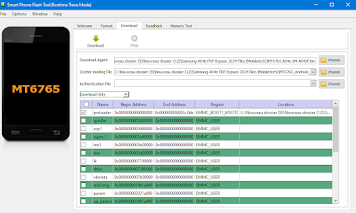
Add Scatter File Click On Choose (Scatter- Loading-File).
Add MT6765 A04e SM-A042F.bin Click On Choose (Download-Agent).
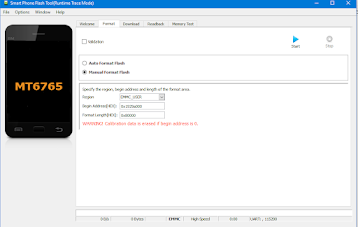
Now Click On Format Select Manual Add Adresse Format In File.
.png)
.png)
Now Open MTKSecBootDisable.
Click On CrashPL Wait.
Power Off The Phone And Connect the Phone to the PC (CABLE USB).
CrashPL OKI In MTKSecBootDisable.
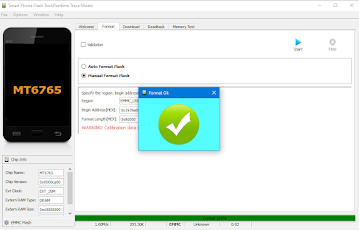
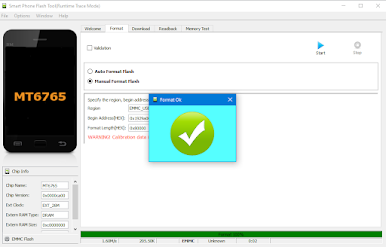
Close The App And Click Start In SP Flash Tool FormatOki.
.png)
Now Power On The Phone.
.png)
Solution Fix Problems:
- Test Mode (*#0*#) Method Not Working.
- Package Disable Method Not Working.
- Talkback Google Assistant Method Not Working.
- Card Sim Lock Pin Method Not Working.
- Samsung Cloud Method Not Working (Something Went Wrong).
- Smart Switch Copy Account Method Not Working.
- Disable Or Enable the Application Method Not Working.
- Broom Mode Method Not Working.
- Method Without TestPoint.
Download the Files below the Article.
Extract Files.
Install Driver.
Open Sp Flash Tool.
Add Scatter File Click On Choose (Scatter- Loading-File).
Add MT6765 A04e SM-A042F.bin Click On Choose (Download-Agent).
Now Click On Format Select Manual Add Adresse Format In File.
.png)
.png)
Now Open MTKSecBootDisable.
Click On CrashPL Wait.
Power Off The Phone And Connect the Phone to the PC (CABLE USB).
CrashPL OKI In MTKSecBootDisable.
Close The App And Click Start In SP Flash Tool FormatOki.
.png)
Now Power On The Phone.
FRP Unlock Done.
File Name: Samsung A04e FRP Bypass 2024 Files (Mobiletech).rar
File Size: 63.5MB
Type:.rar
Type:.rar
Compatible: Windows XP, Windows 7, Win 8, Win 8.1, Win 10, Win 11
Software Program: Mirror (MediaFaire)
Software Program: Mirror (MediaFaire)
Software Program: Mirror (Mega)
Password Winrar: mobiletechfrp
Komentar
Posting Komentar