
How To Bypass Google Account On Samsung Android 14 Remove Or Unlock FRP Latest Update For Samsung Mediatek CPU By Download Mode But Method Crash Broom Not Working In Latest Update Fixed.
Method working On All Samsung Galaxy New Update Android 13/14 And 11/12.
Fix Crash Broom Without Test Point.
Method Forec Brom Mode By Download Mode And Unlock FRP.
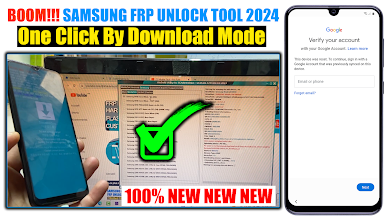
Method 2024 By Download Mode Fixed:
Method working On All Samsung Galaxy New Update Android 13/14 And 11/12.
Fix Crash Broom Without Test Point.
Method Forec Brom Mode By Download Mode And Unlock FRP.

Method 2024 By Download Mode Fixed:
- Method Without Chimera Tool.
- Method Without VG Tool.
- Test Mode Code *#0*# Not Working.
- Downgrade Not Working.
- Package Disable Pro Not Working (Free Pack).
- Disable And Enable Or Clear Data Application Not Working.
- Google Assistant Not Working.
- TalkBack Not Working.
- Open Browser MTP Mode Not Working.
- Method Without Test Mode Without Downgrade.
- Before Starting, you Must Know The App Version CSC For You Phone.
- Open Recovery And check the App Version.
- Download BL IN Files Firmware In Site Wep SamFW But Same APP Version.
- Example AP Version A042FA042FXXU1AVJ.
- Example 2 APP Version A042FXXU6DXA3.
- Example 3 App Version A245FODM3BWK3.
- Type the number App Version on your Computer.
- Download The File Below The Articles.
- Install Mediatek Driver.
- Open Android Utility Tool.
- Select Samsung And Mediatek.
- Power Off The Phone.
- Click Button Volume Dow And Button Volume Up And Connect the Phone to the PC Cable USB (Download Mode).
- And Click On Tool Samsung MTK Forec Brom - BL (DM).
- Force Brom Mode Oki.
- Now Open the MTK Utility Tool V1 Click On Erase FRP Samsung.
- If The Phone Is Not Recognized Apply Steps.
- Disconnect the Cable USB And Click On the Buttons Volume Down and Power 6secends.
- Now Click On FRP Samsung in MTK Utility Tool And Connect the Phone to the PC.
- Wiat FRP Done.
- Now How To Power On The Phone.
- Download BL IN Files Firmware In Site Wep SamFW But Same APP Version.
- Example AP Version A042FA042FXXU1AVJ Same Preleader BL_A042FXXU1AVJ.
- Example 2 APP Version A042FXXU6DXA3 = BL_A042FXXU6DXA3
- Example 3 App Version A245FODM3BWK3 = BL_A245FODM3BWK3
- If you do not find the Same App Version on the site.
- Download Firmware 4 files And Flash The Phone.
- After Completing The Flash Apply Same Steps.
- Exit broom Easy Now Apply In BL Only Firmware Files.
- After Downloading the file to your phone.
- Now Clik On Samsung MTK GPT Repair Via CSC (FM) (eMMC Only).
- Add BL File And Connect Phone With PC Cable USB.
- If The Phone Is Not Recognized Apply Steps.
- Disconnect the Cable USB And Click On the Buttons Volume Down and Power 6secends.
- Wait Finally Phone power on automatically.
Solution Video On My Youtube Channel (Mobile Tech) Or (Mobile Tech FRP).
Files:
Android Utility Tool (Mediafire). Password rar NEW: mfdl
MTK Utility Tool V1 (Mediafire).
SamFw Officel Download BL (Here Click).
Driver MTK (Mediafire).
Password Rar: mobiletechfrp
Android Utility Tool (Mediafire). Password rar NEW: mfdl
MTK Utility Tool V1 (Mediafire).
SamFw Officel Download BL (Here Click).
Driver MTK (Mediafire).
Password Rar: mobiletechfrp
Komentar
Posting Komentar